

WhatsApp's real-time location sharing feature is one of the most useful innovations for those who want to stay connected and safe at all times. This feature, called Live Location, allows you to send your real-time geographic location to any contact or group, making it easy to track your movements only during the period you specify. Whether it's to indicate your route on a trip, warn of potential delays, or provide reassurance on unfamiliar journeys, this tool has become an essential solution for millions of WhatsApp users.
What is WhatsApp real-time location and what is it used for?

WhatsApp's real-time location feature is an advanced function that lets you share your exact position on a dynamic map with one or more contacts, showing your movements over a selected period. Unlike sending a static location (which only indicates where you are at a specific moment), this option transmits your movements continuously for 15 minutes, 1 hour, or 8 hours, depending on your preference.
This functionality is essential in situations such as:
- Meetings with friends or family in unfamiliar places, allowing you to know if the other person is nearby.
- Long trips: Your loved ones can see your journey and make sure you arrive safely at your destination.
- Emergency cases or solitary journeys: essential to increase safety, especially if you are crossing areas with little traffic.
- Event coordination: ideal for races, excursions or outdoor activities where it is important to know the location of each member.
- Monitoring of elderly people, children or adolescents for protection reasons or to resolve unforeseen events.
Sharing your location in real time is an effective way to keep your contacts informed and increase your peace of mind or that of others in a multitude of scenarios.
How WhatsApp's real-time location works step by step

Sharing your real-time location on WhatsApp is simple, but it's helpful to know all the details to get the most out of it and avoid mistakes. Below, we explain all the steps, taking into account the differences between Android and iPhone, as well as the most important privacy tips.
Prerequisites on your mobile device
- Have the latest version of WhatsApp installedIt's recommended that you update the app to access the latest features.
- Enable location services (GPS) on your device. Without this, WhatsApp won't be able to detect or transmit your location.
- Grant location permissions WhatsApp in your phone's settings. On Android, go to Settings > Apps > WhatsApp > Permissions. On iOS, go to Settings > WhatsApp > Location.
Step by step to share your location in real time on WhatsApp
- Open a chat (individual or group) with the person or people you want to share your location with.
- Click on the icon to attach (clip on Android or symbol + on iPhone) in the message bar.
- Select option Location.
- Choose Real-time location when the available options are shown to you.
- Set the duration: you can choose between 15 minutes, 1 hour, or 8 hours. WhatsApp will automatically stop sending when the time expires, but you can cancel it before then if you wish.
- You can add an optional comment explaining the reason or context for the submission.
- Balance SubmitYour contacts will receive a message with your dynamic location, visible on the map integrated into WhatsApp.
During the selected period, your movements will be updated in real time on the map. Your contacts will be able to zoom in on the map, change the view to satellite or relief, and check for traffic.
Differences between "Current Location" and "Real-Time Location"
- Real-time location: Your movements are constantly transmitted, ideal for dynamic journeys or activities.
- Current location: It only indicates the location you were in when the message was sent, and will not be updated afterward.
How to see the real-time location sent to you via WhatsApp

When someone shares their real-time location with you via WhatsApp , you'll receive a message within the chat with a thumbnail map. Tapping on the map will give you several options to manage it and better view the information:
- You can enlarge the map to see in greater detail the route and exact location of your contact.
- Possible Change the view in satellite, relief or traffic mode, depending on your needs.
- In groups, if several people share their real-time location, you can see them all at once on the map, making coordination easier.
Remember that you'll only be able to view real-time location information during the authorized period. When the time expires or your contact manually cancels, you'll stop receiving location updates.
How to stop sharing your real-time location on WhatsApp
The real-time location sharing feature lets you decide at any time when to stop sharing your location:
- Automatically: WhatsApp will stop sending your location when the period you selected ends.
- Manual: You can cancel early from the location message in the chat by tapping the option Stop sharing.
- You can also cancel from your phone's notification bar if an active notification appears.
This gives you complete control over your privacy, allowing you to send your location only as long as necessary and ensuring that no one can track you after that time.
How to check if you're still sharing your location
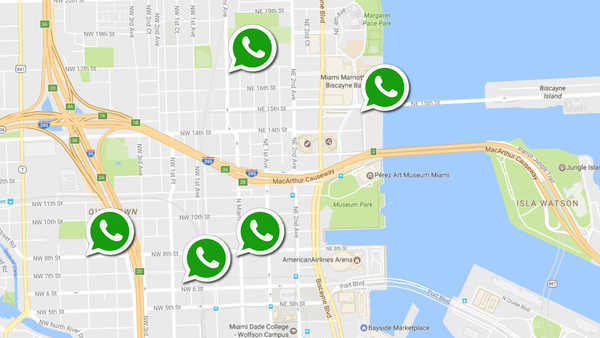
If you're unsure whether your location is still visible to others, WhatsApp lets you quickly check:
- Access the chat or group information where you shared the location.
- If the warning appears You are sharing your location in real time, means that it is still active.
- By clicking on this message, you'll be able to see both the map and the remaining time, and if you wish, cancel the shipment before the deadline expires.
You can also manage and view all the contacts and groups to whom you share your real-time location and stop sharing it globally from Settings > Account > Privacy > Real-time location (indicative route; may vary depending on the WhatsApp version).
Privacy and security in the real-time location feature

One of the most valued aspects of real-time location sharing on WhatsApp is its focus on privacy :
- End-to-end encryption: Your location information is transmitted securely, so that only the authorized recipient(s) can see it.
- Full user control: You can choose at any time who you share your location with and for how long. No one can access your movements without your explicit consent.
- No permanent registration: Once you cancel the shipment or the time limit expires, your location is no longer visible and no accessible history is stored.
- Editable permissions: Periodically review WhatsApp location permissions and adjust them to suit your privacy preferences.
However, privacy ultimately depends on responsible use . You should only share your location with trusted contacts and be aware of the potential risks, especially when doing so in groups or with strangers.
Differences and advantages compared to other apps for sharing location in real time
Although WhatsApp is the most popular messaging app for sharing location, there are alternatives such as Google Maps , Telegram , or even Apple's Search app . Below, we detail their main differences and features.
Google Maps
- It allows you to share your location in real time for a specific period, even until the user decides to end it manually.
- Ability to share via universal links that you can send via WhatsApp, email, SMS, or other apps.
- You need a Google account, although you can share links with people without one.
- Greater precision in displaying routes, traffic queries, public transportation, and points of interest.
Telegram
- Option to share real-time location for 15 minutes, 1 hour, or 8 hours, just like WhatsApp.
- You can do this in individual chats and groups.
- Like WhatsApp, it uses the paperclip icon to share, and the privacy and unsubscribe features are similar.
Search on iPhone (and Apple Watch)
- Allows location sharing between Apple devices (iPhone, iPad, Apple Watch).
- Notification option to notify you of arrival or departure from a specific location.
- Granular time control: one hour, all day, or indefinitely.
- Greater integration into the Apple ecosystem.
Advantages of WhatsApp over other applications
- Universality: Most users already have WhatsApp, making it unnecessary to install additional applications.
- Ease: The process is intuitive and fast, suitable for any user profile.
- Exact time control: Choose exactly how long the sharing lasts and cancel whenever you want.
- Encryption and privacy: incorporates high standards of protection and anonymity compared to other less secure services.
Practical applications and tips for using real-time location on WhatsApp
The use of real-time location tracking goes beyond mere convenience. When used properly, it can be a valuable tool for personal safety and risk prevention. Among the top recommendations are:
- For fathers and mothers: sharing a place with your children when returning home alone, during school trips or extracurricular activities. More details on alerts and tracking.
- Elderly people or people with reduced mobility: Your family members can tell if they have become disoriented or need help.
- Athletes and hikers: makes it easy to quickly locate things on hiking, cycling or running routes.
- Meetings and mass events: Ideal for festivals, conferences or sporting events where it is easy to get lost.
- Taxi, VTC or night rides: provides additional security and peace of mind to the traveler or their contacts.
Key tip: Never share your location under pressure or with strangers. Messaging and mapping apps have mechanisms to ensure that sharing is voluntary, time-limited, and can be revoked at any time.
Troubleshooting and frequently asked questions about real-time location
Sometimes, users may encounter problems using real-time location sharing on WhatsApp . Here we answer the most common questions:
- The real-time location option does not appear: Make sure you have the latest version of WhatsApp and that you have location services enabled and permissions correctly granted.
- Location is not updated: This may be due to poor data or GPS coverage, active battery saver, or app permission restrictions.
- I forgot who I'm sharing my location with.: Access WhatsApp privacy settings and review active chats and groups.
- Can I share my location in multiple chats at once? Yes, you can send your dynamic location in each chat or group independently and manage them separately.
- How much does real-time location consume? The impact on battery and data consumption is low, but it's recommended to use it for as long as necessary, especially on long journeys.

Security and control: advantages and disadvantages of real-time location sharing
Sharing your real-time location is a feature with many benefits, but it requires responsibility and common sense :
- Advantages:
- It provides security in situations of risk or vulnerability.
- Facilitates meetings, travel and group coordination.
- It is a prevention tool in emergencies.
- It allows you to know how much time is left to reach a destination.
- It is very useful for locating elderly people, children, or those who practice adventure sports.
- Drawbacks:
- It may lead to a decrease in the privacy if the location is abused or shared with untrustworthy people.
- In areas with poor coverage, accuracy may decrease and cause confusion.
- It should only be used when the user so desires and it is useful for his/her own security, not because of someone else's obligation.
The key is to use real-time location tracking as a personal security enhancement and not as a permanent control element.
Table of Contents
- 1 What is WhatsApp real-time location and what is it used for?
- 2 How WhatsApp's real-time location works step by step
- 3 How to see the real-time location sent to you via WhatsApp
- 4 How to stop sharing your real-time location on WhatsApp
- 5 How to check if you're still sharing your location
- 6 Privacy and security in the real-time location feature
- 7 Differences and advantages compared to other apps for sharing location in real time
- 8 Practical applications and tips for using real-time location on WhatsApp
- 9 Troubleshooting and frequently asked questions about real-time location
- 10 Security and control: advantages and disadvantages of real-time location sharing